
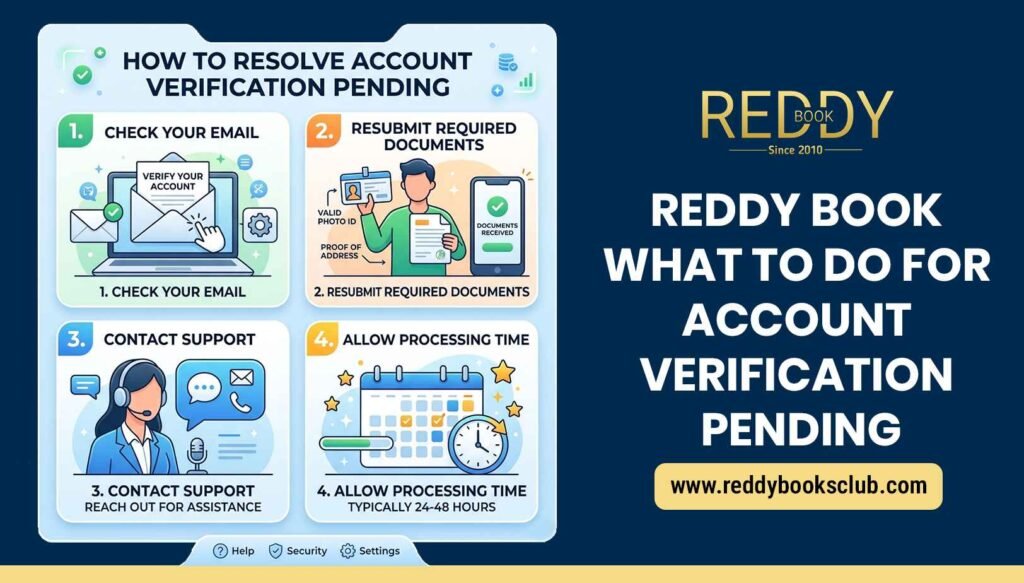
If your ReddyBook account is showing “verification pending”, don’t worry, this is a very common situation and usually easy to fix. In most cases, it’s just a delay or a small issue that needs correction.
Here’s a complete, simple guide on what you should do.
Why Your Verification is Pending
Before fixing it, it’s important to understand why this happens. Your Reddy book account may stay pending because:
- Your documents are not uploaded or incomplete
- Details don’t match (name, number, etc.)
- Documents are blurry or unclear
- Too many users → system delay
- Account is under security check
Verification is important because it confirms your identity and allows smooth withdrawals and account access
1. Wait for Some Time (Most Common Reason)
Sometimes, there is no problem at all.
- Verification usually takes 24–72 hours
- During high traffic, it may take longer
- New users often face slight delays
So first step: wait at least 1–2 days before panicking
2. Check If You Submitted All Documents
Make sure you have uploaded everything required:
- ID proof (PAN / Aadhaar / Passport)
- Address proof
- Selfie (if asked)
If anything is missing, your verification will stay pending.
3. Make Sure Your Details Match Exactly
One of the biggest reasons for delay is mismatch.
Check this carefully:
- Name on account = name on ID
- Mobile number is correct
- Email is correct
Even a small spelling difference can delay approval
4. Re-upload Clear Documents
If your documents are:
- Blurry
- Cropped
- Dark or unclear
Then verification may fail or stay pending.
Solution:
- Upload clear, high-quality images
- Make sure all details are visible
- Avoid editing or filters
5. Avoid Multiple Accounts
ReddyBook allows only one account per user.
If you:
- Created multiple IDs
- Used different numbers
Then your account may stay pending or even get restricted
6. Check Your Internet or App Issue
Sometimes the issue is technical, not verification.
Try this:
- Logout and login again
- Refresh the page
- Clear cache or use another browser
- Update the app
Simple fixes often solve the problem.
7. Contact ReddyBook Support (Best Solution)
If your verification is pending for more than 2–3 days, contact support.
You can:
- Use Live Chat (fastest option)
- Send an email with your details
- Share screenshots of the issue
When contacting, include:
- Username
- Registered number/email
- Problem description
- Uploaded documents
Support usually responds within 24–48 hours
8. Check for Account Restrictions
Sometimes pending verification can also mean:
- Your account is temporarily restricted
- There is a security check going on
This can happen due to:
- Suspicious activity
- Payment mismatch
- Incomplete KYC
Once verification is done, restrictions are removed
9. Don’t Try These Mistakes
Avoid doing these things while your account is pending:
- Don’t create a new account
- Don’t upload fake documents
- Don’t spam support repeatedly
- Don’t try multiple logins from different devices
These actions can delay your verification even more.
10. Important Tip for Faster Approval
To speed up your verification:
- Use your real name only
- Upload clear documents
- Use your own mobile number
- Respond quickly if support asks for anything
This ensures smooth approval without delays.
Conclusion
If your ReddyBook account verification is pending, it is usually not a serious issue. In most cases, it gets approved within a few hours to a couple of days. The key is to stay patient, check your details carefully, and contact support if needed.
Once your account is verified, you will get:
- Full access to features
- Smooth withdrawals
- Better account security
 Get Reddybook ID